/
Tal Hayun PRODUCT DESIGNER
SoundPath mobile app mockup on a geometric pedestal
Mobile App Design

SoundPath

Helping artists find the right sound, faster.

SoundPath is a mobile app that helps music creators discover, compare, and organize plugins and sounds with clarity and confidence.

View Prototype

Problem

Producers and engineers waste time searching for the right plugins across crowded marketplaces and complex documentation.

Core Users

Music creators, producers, and mix engineers who need fast, practical recommendations during creative work.

Product Goal

Make it effortless to find, evaluate, and organize the right tools so creators can focus on making music.

Product Value

Save time, reduce decision fatigue, and build better mixes with tools that truly fit your sound.

User Flow & Screen Logic

A guided flow that adapts to the user's goal and experience level, turning complex decisions into a simple, confident path.
01

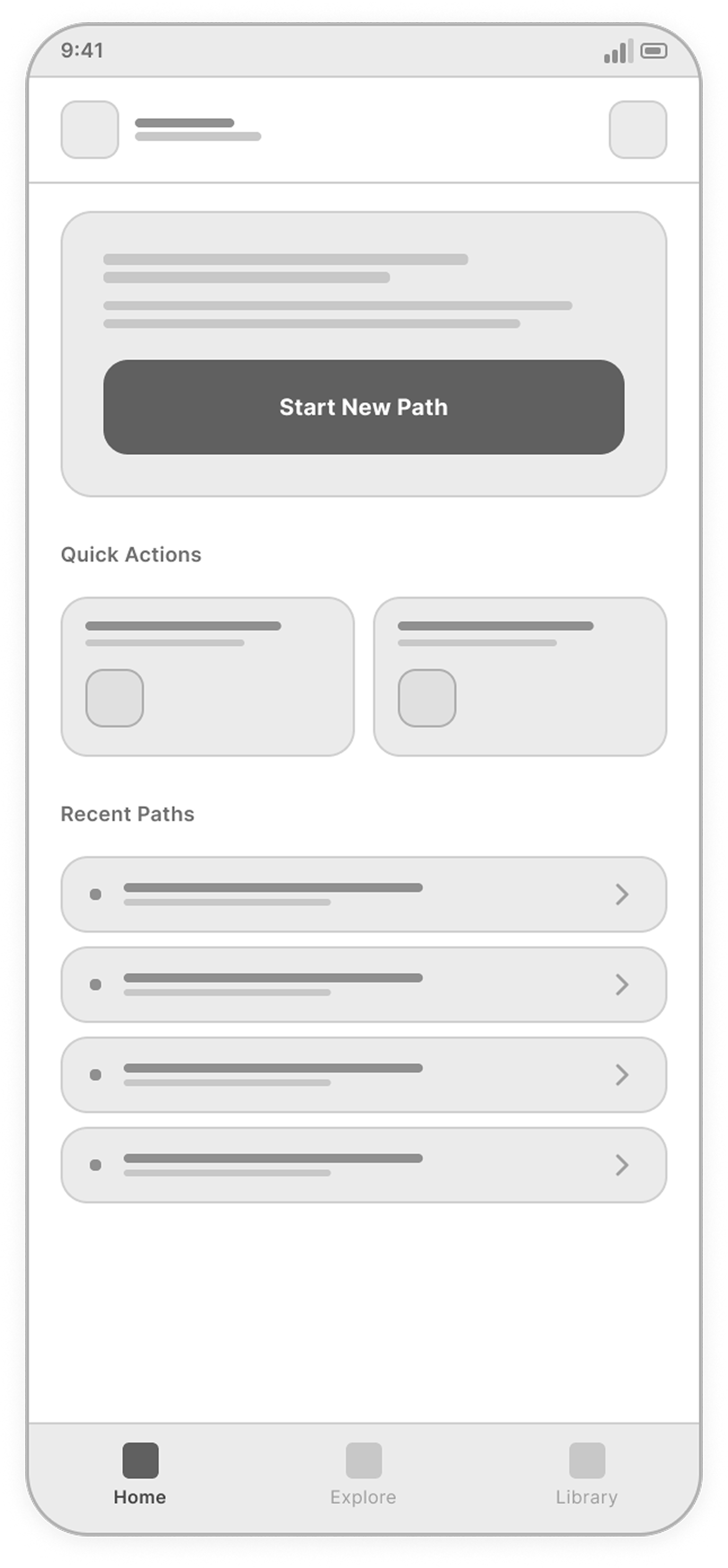
Home

Discover and start sound journeys quickly.

Home screen
02

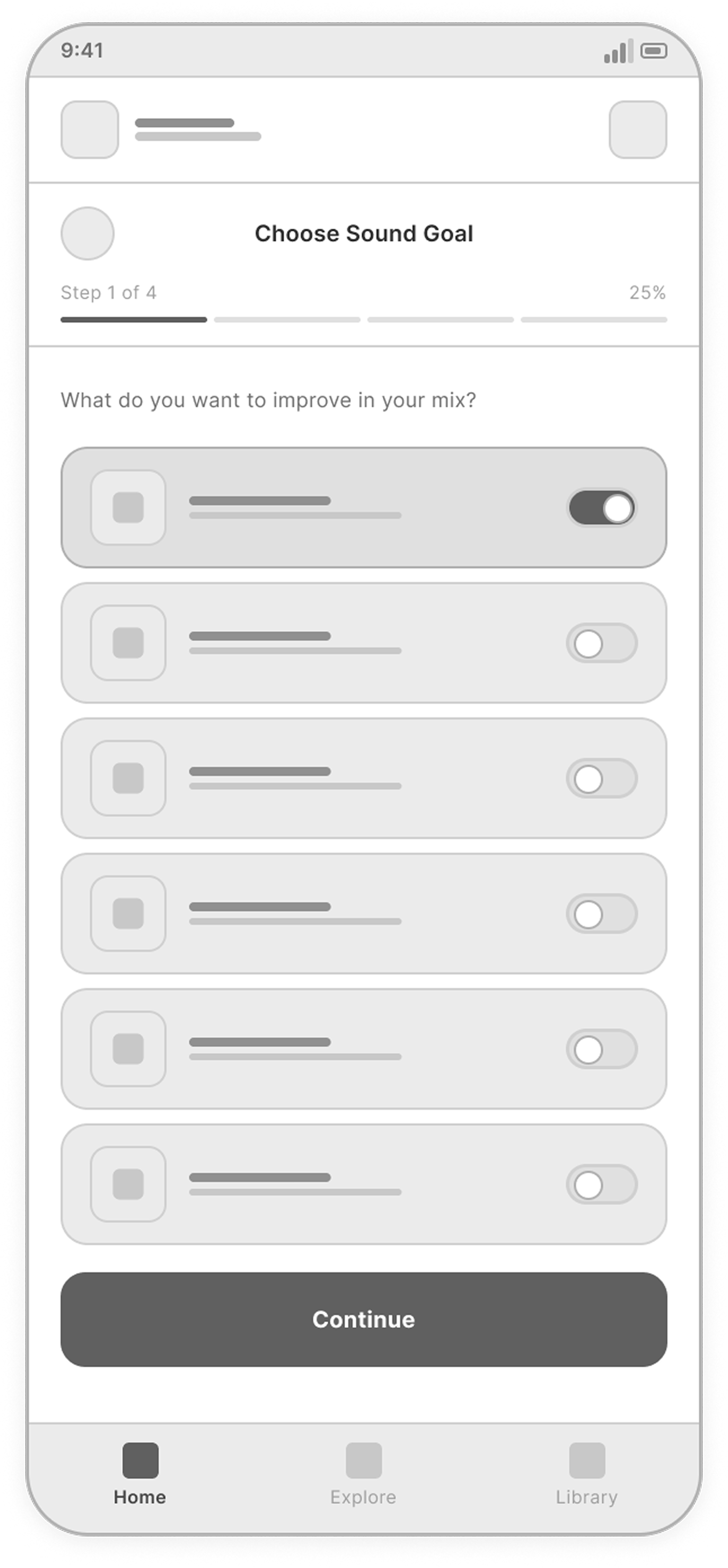
Choose Sound Goal

Select the sound improvement you want to achieve.

Choose Sound Goal screen
03

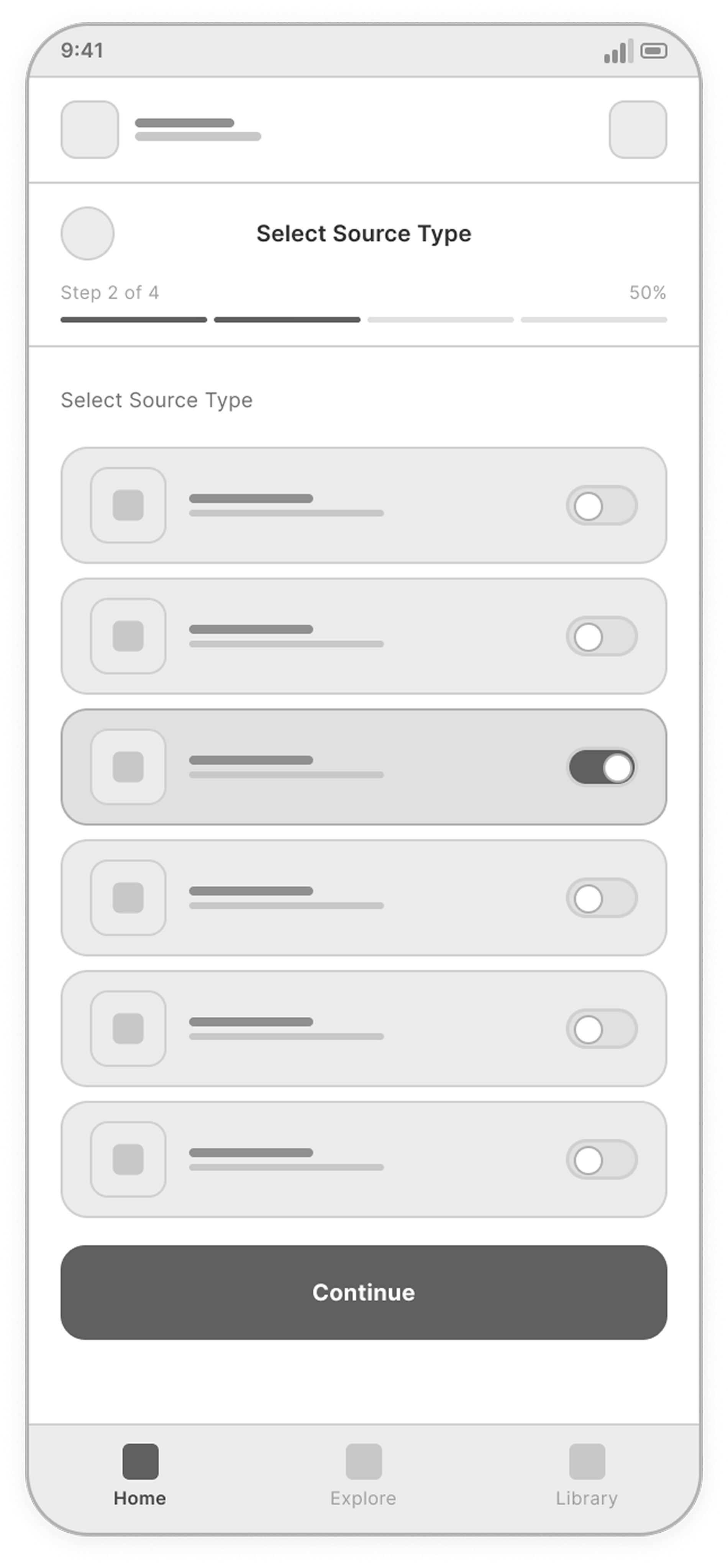
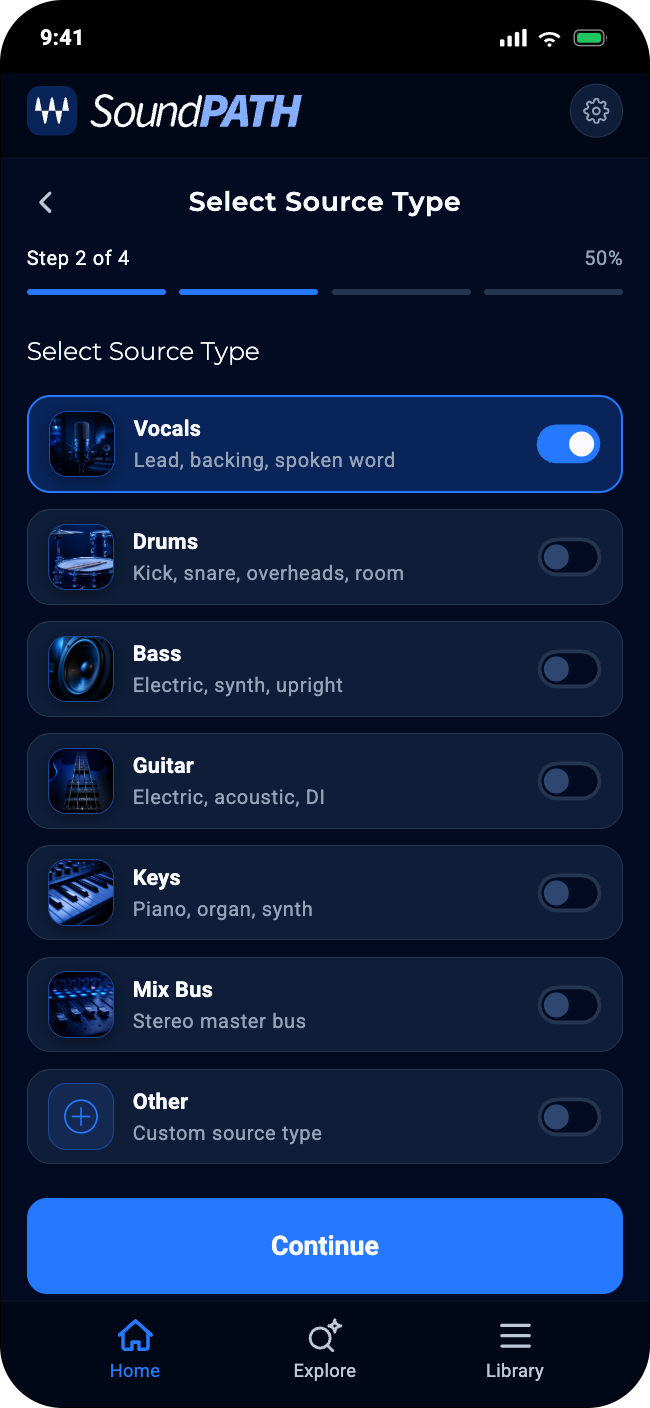
Select Source Type

Choose the instrument or source you are working on.

Select Source Type screen
04

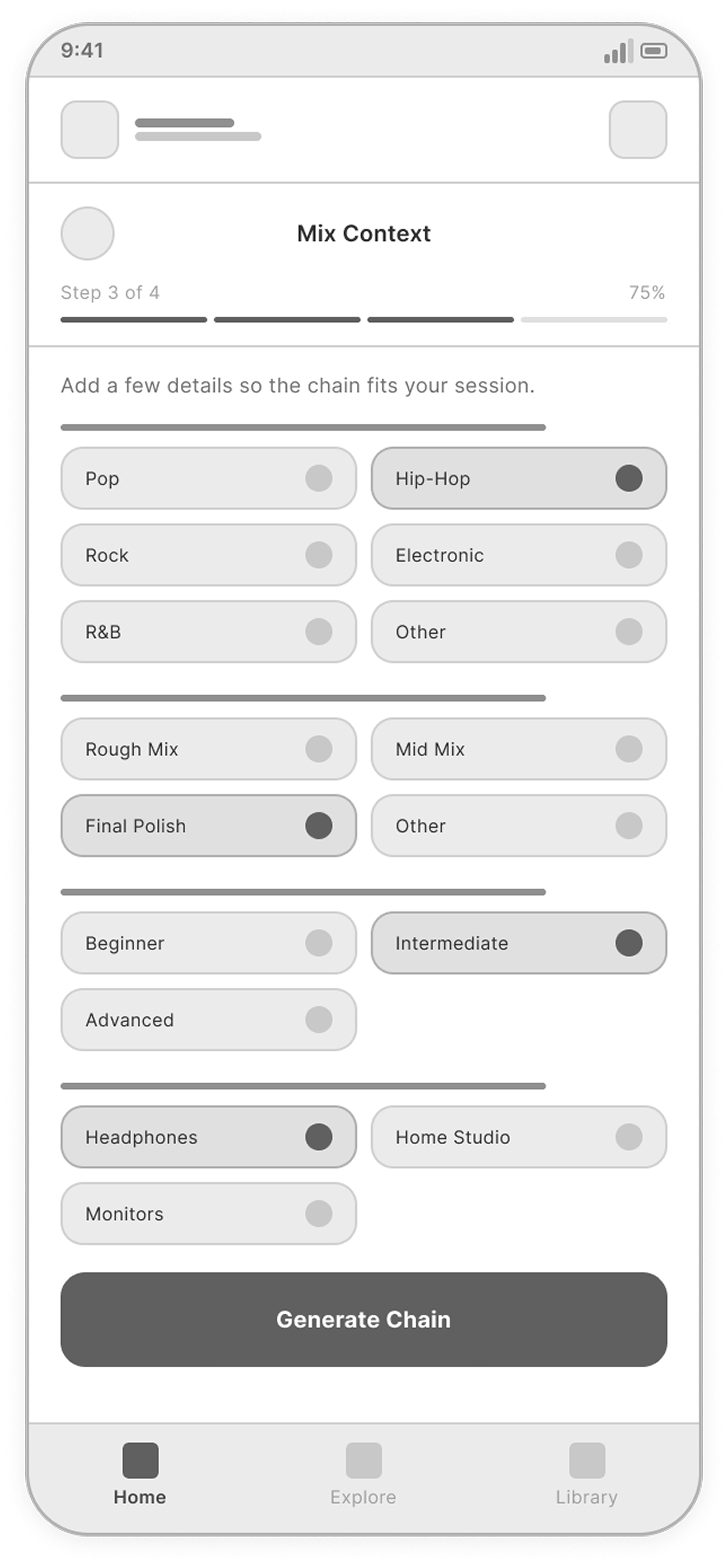
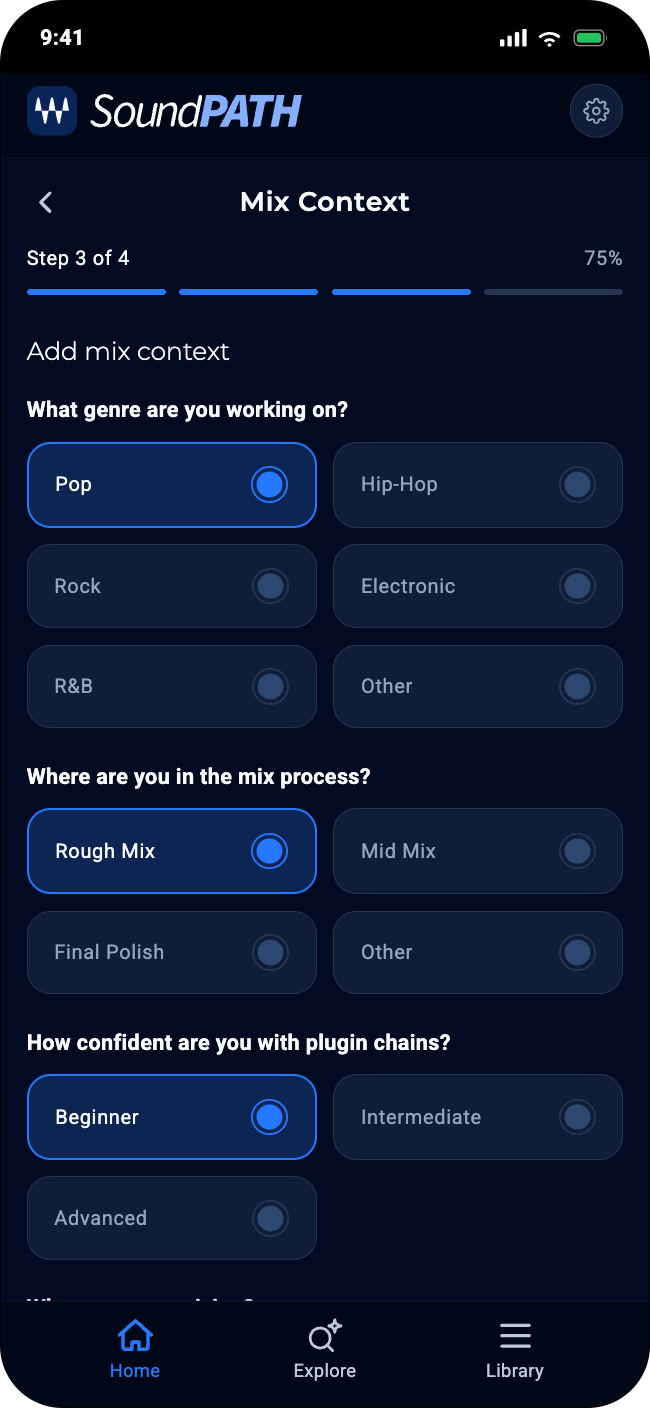
Add Mix Context

Add style, genre, and mix context for better recommendations.

Add Mix Context screen
05

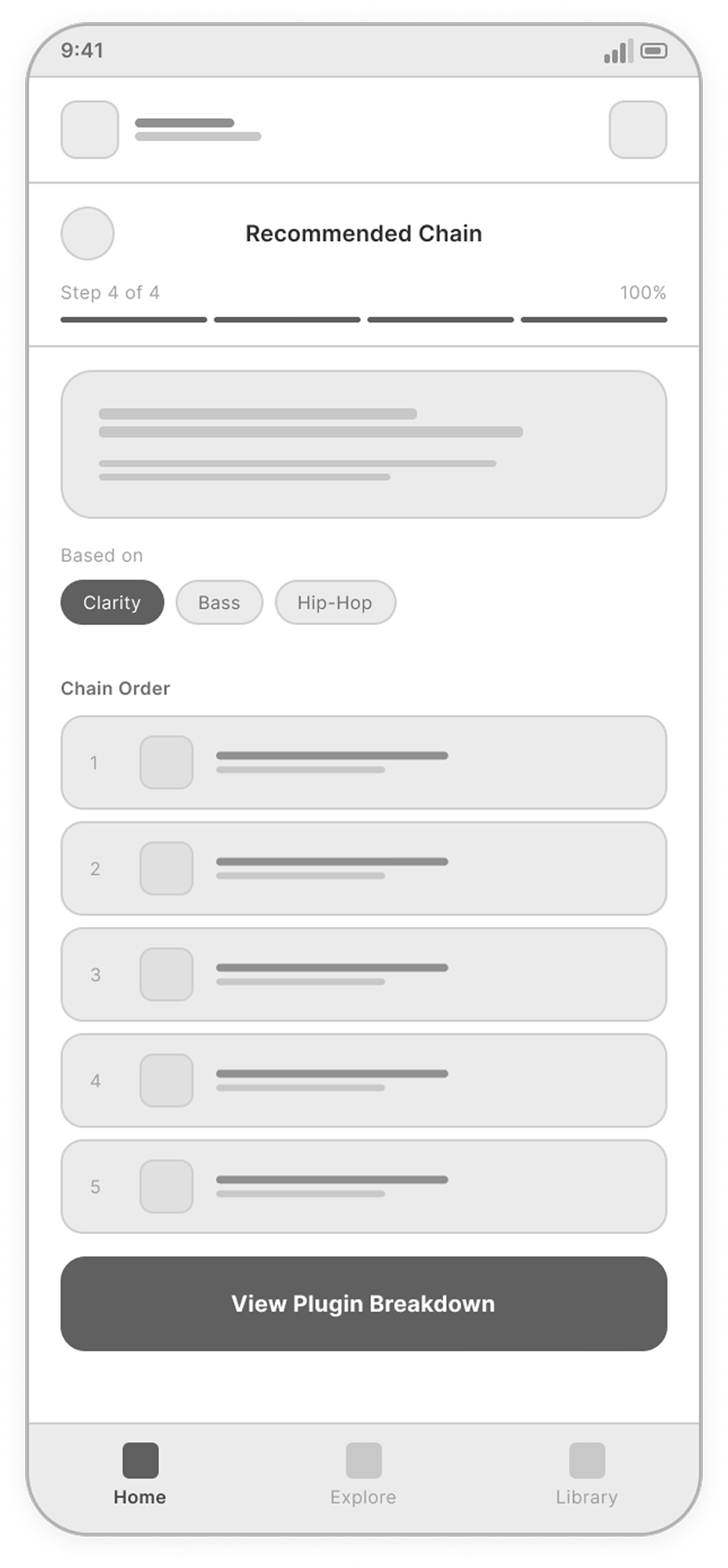
Recommendation

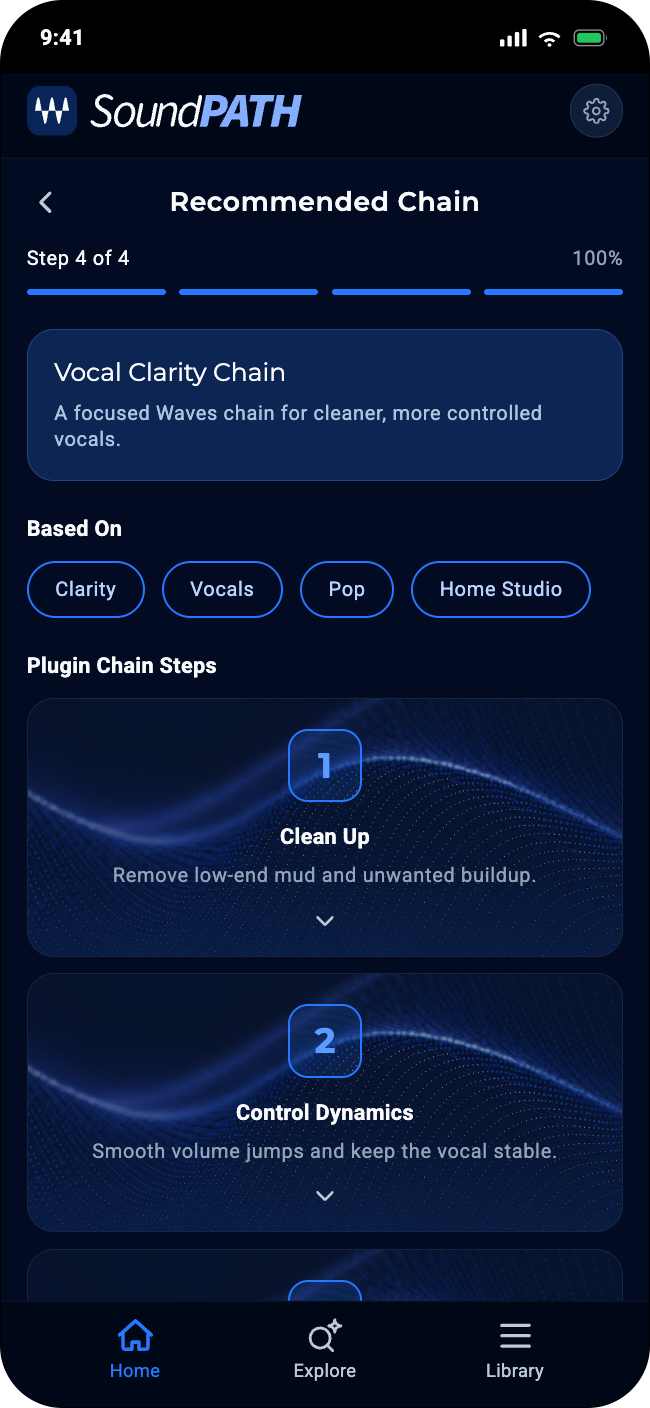
Review a tailored plugin chain.

Recommendation screen
06

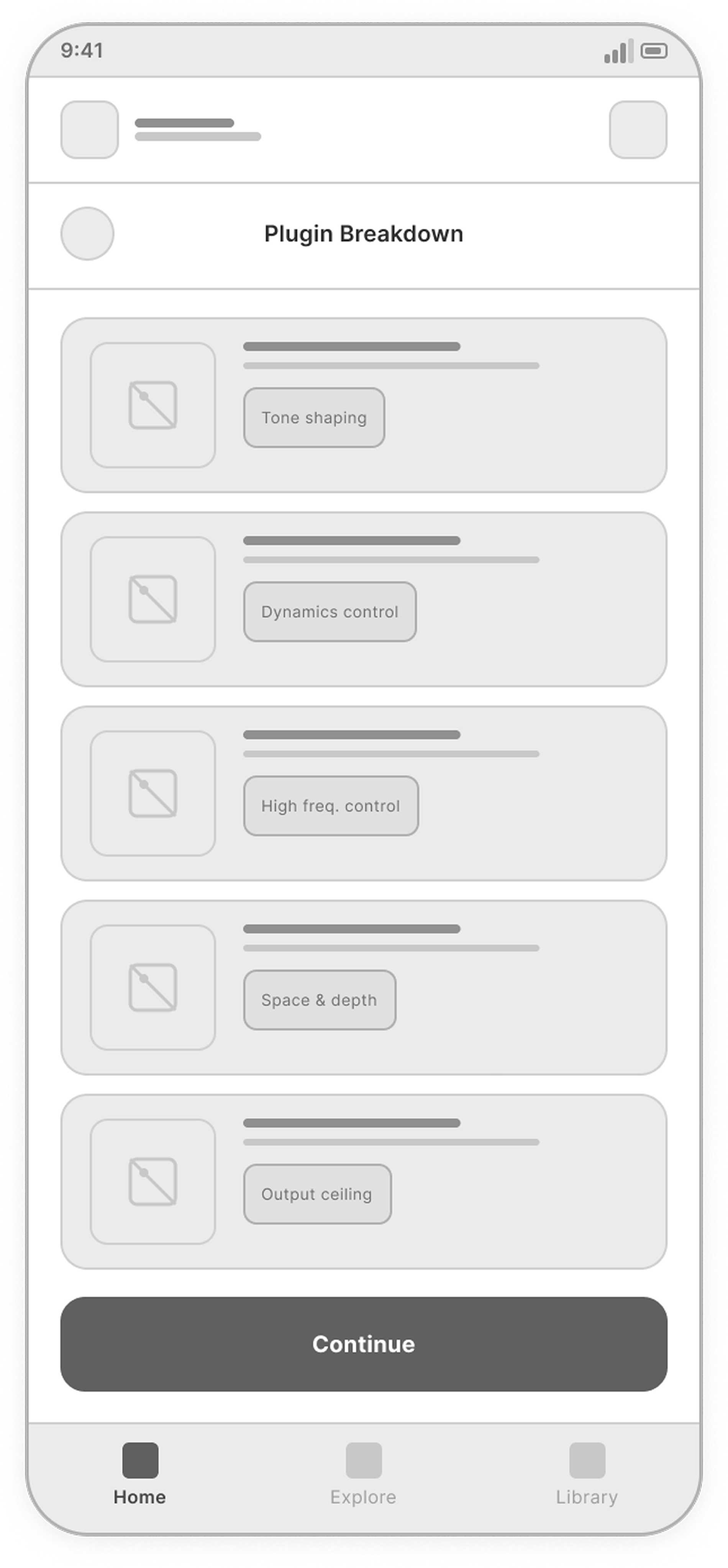
Plugin Breakdown

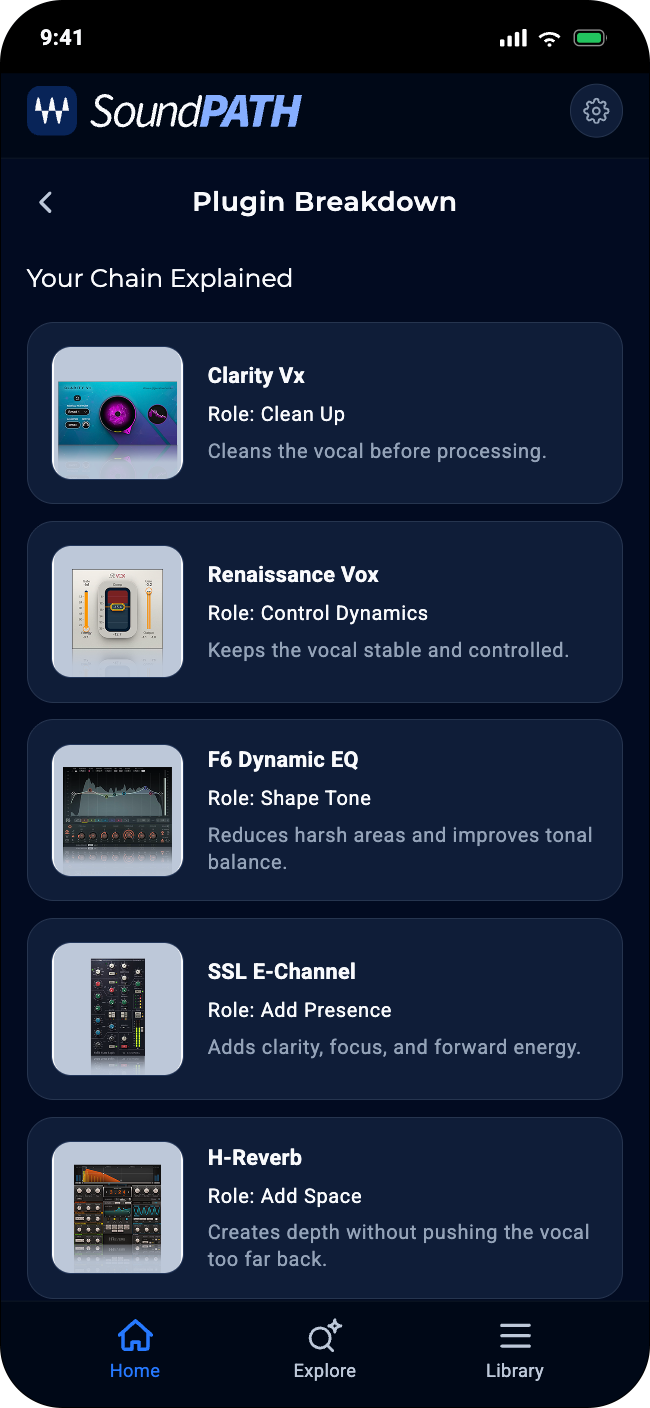
Understand each plugin's role and why it was recommended.

Plugin Breakdown screen
07

Save Chain

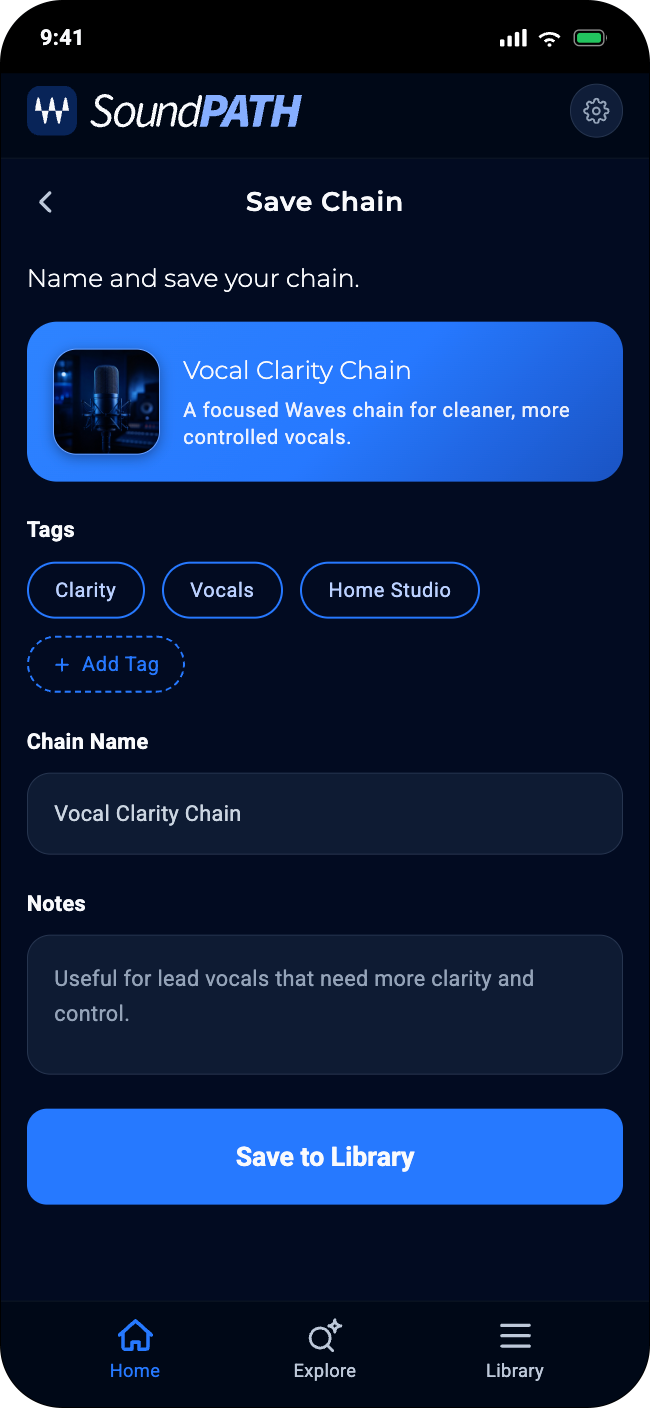
Name, save, and reuse the chain.

Save Chain screen
08

Chain Library

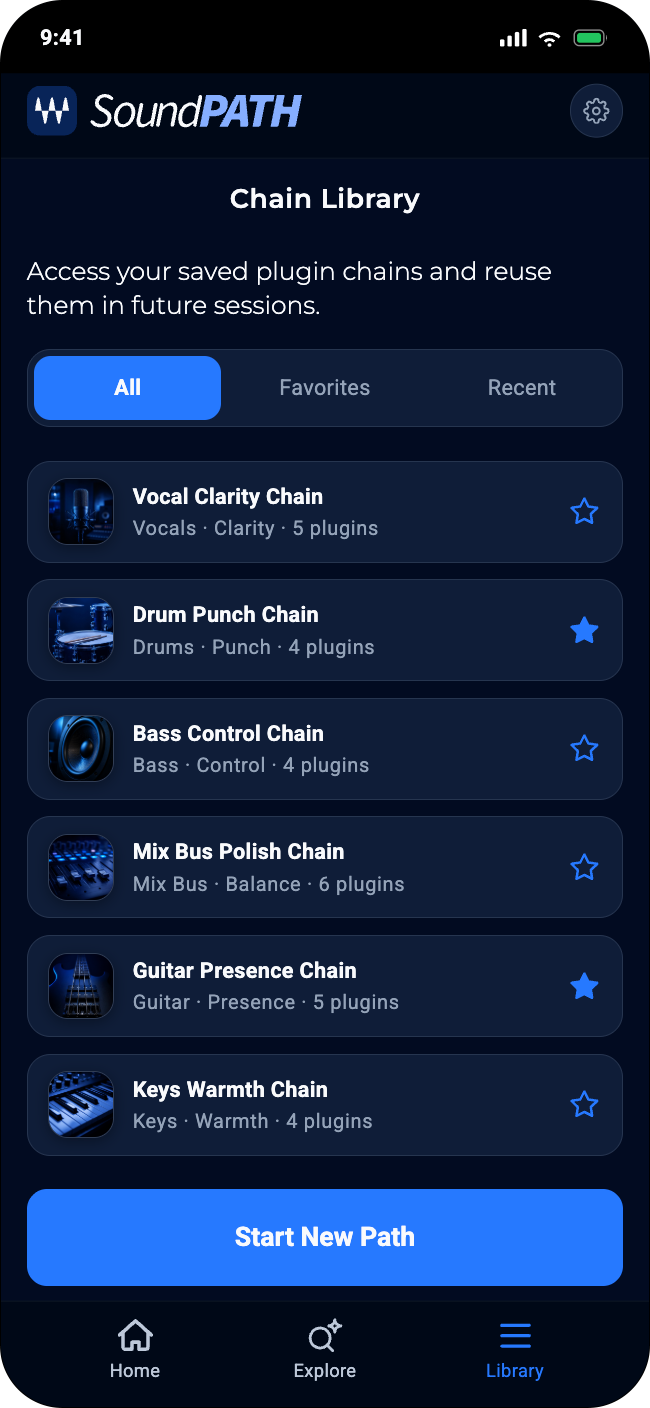
Browse and manage saved chains.

Chain Library screen

Final Screens

A focused look at the final experience, from discovery and guided setup to recommendations, saving, and reuse.
01 / 08

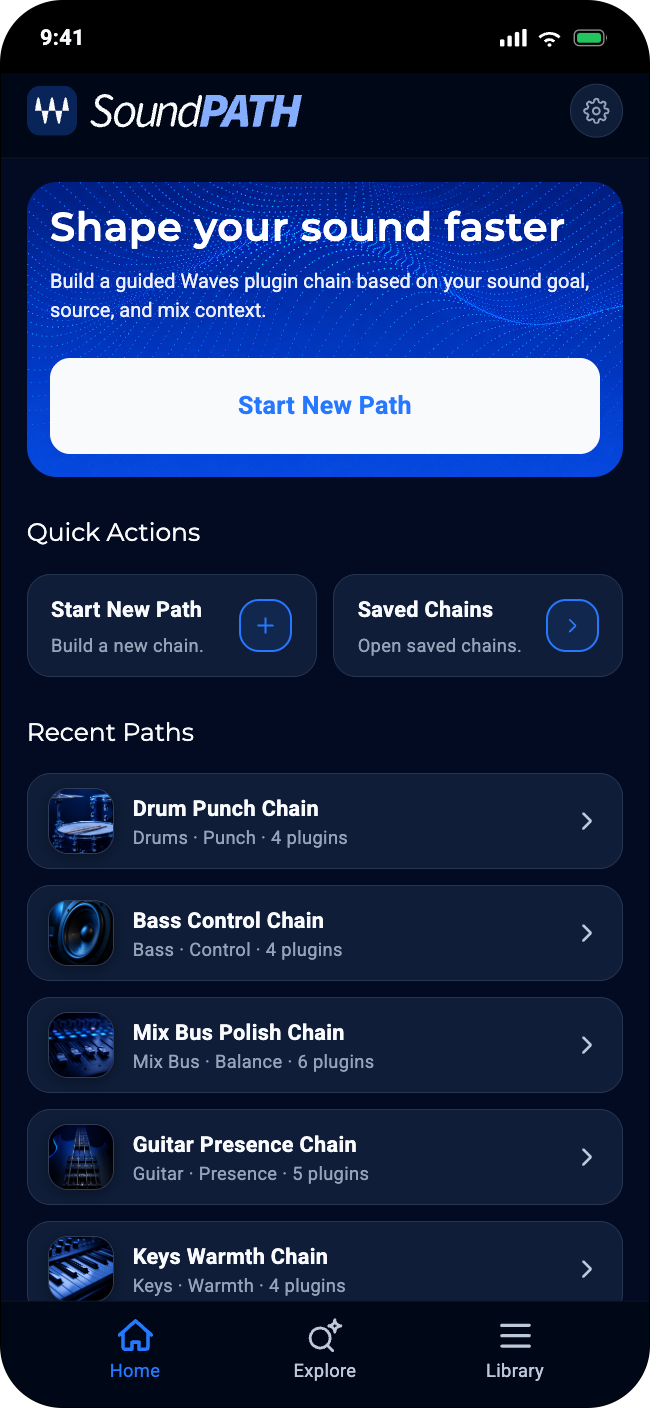
Home

The home screen creates a clear starting point for the experience. A strong hero area highlights the main action, while quick actions and recent paths give users a fast way to begin a recommendation or return to saved work.

View full screen
Home screen
02 / 08

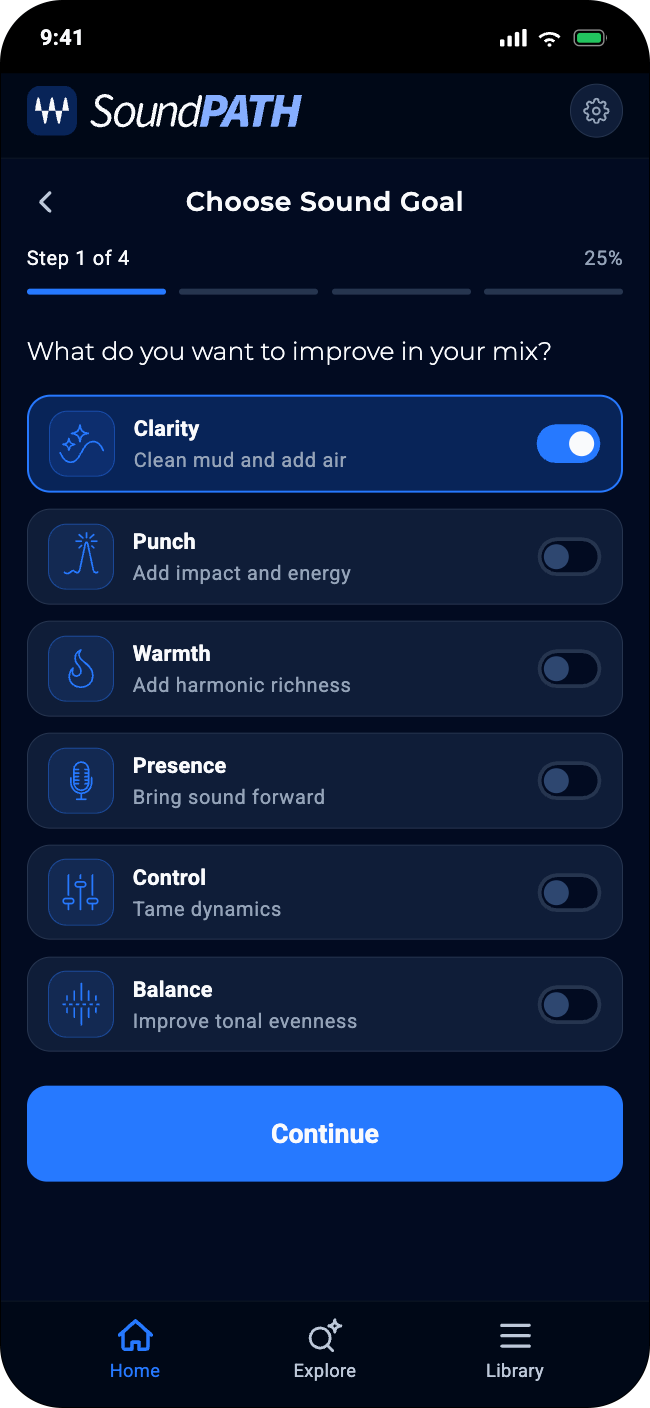
Choose Sound Goal

The sound goal screen uses focused selection cards to make the first decision feel simple and approachable. Each option combines a clear icon, short explanation, and selected state, helping users choose a creative direction without needing deep plugin knowledge.

View full screen
Choose Sound Goal screen
03 / 08

Select Source Type

The source selection screen uses a compact list layout to make scanning fast and clear. Each source includes a simple icon, short description, and selected state, helping users connect the recommendation to the audio material they are actually working on.

View full screen
Select Source Type screen
04 / 08

Mix Context

The mix context screen collects important details through grouped choices instead of long form fields. This keeps the experience lightweight while giving the recommendation more relevance based on genre, mix stage, confidence level, and production setup.

View full screen
Mix Context screen
05 / 08

Recommended Chain

The recommendation screen presents the result as a structured plugin chain rather than a random list of tools. The chain name, source context, and ordered steps help users understand what the recommendation is designed to solve before moving into plugin-level details.

View full screen
Recommended Chain screen
06 / 08

Plugin Breakdown

The plugin breakdown screen explains the recommendation by showing the role of each plugin, visual thumbnails, role names, and short descriptions. This turns the final result into something users can understand and trust before applying it.

View full screen
Plugin Breakdown screen
07 / 08

Save Chain

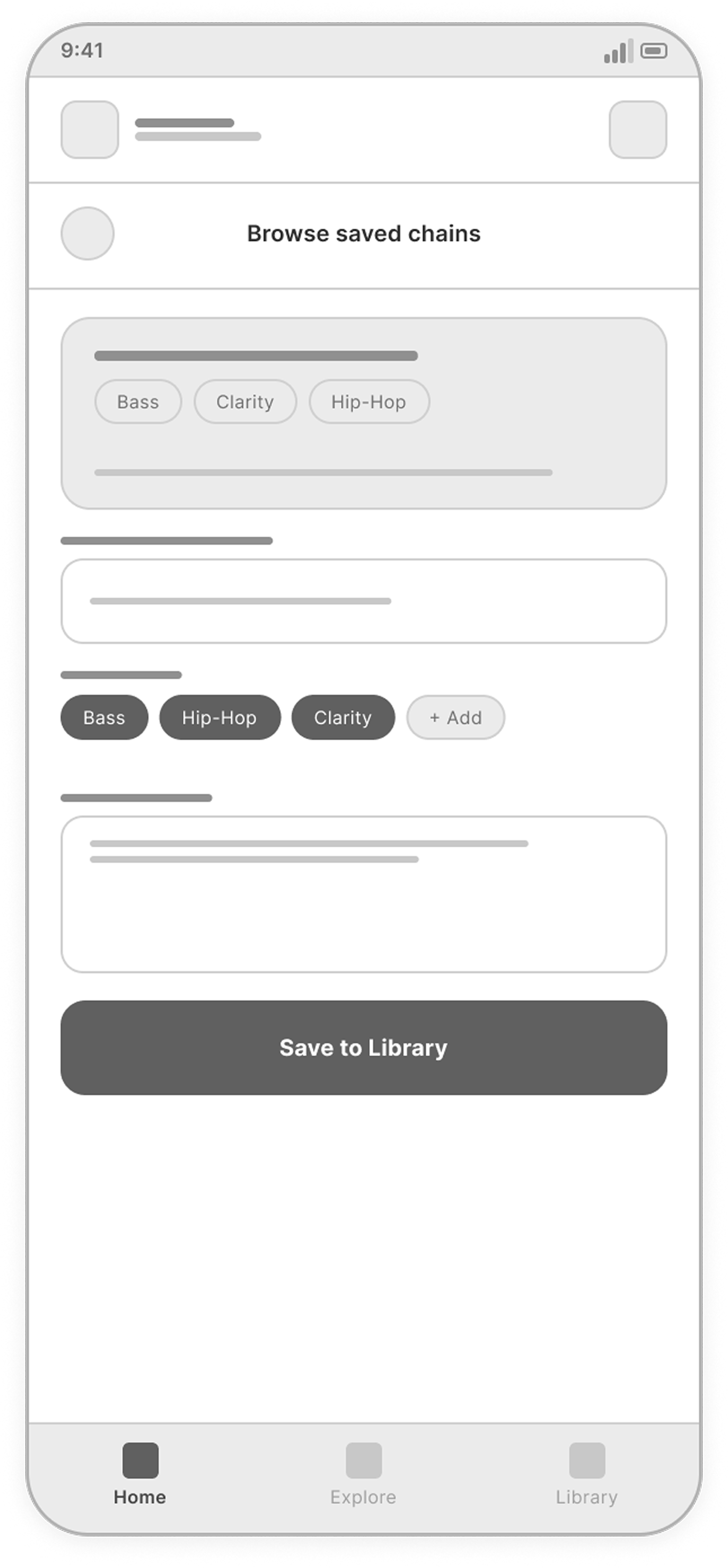
The save screen turns the recommendation into something reusable. A summary card confirms the selected chain, while name, tags, and notes help users organize it for future sessions.

View full screen
Save Chain screen
08 / 08

Chain Library

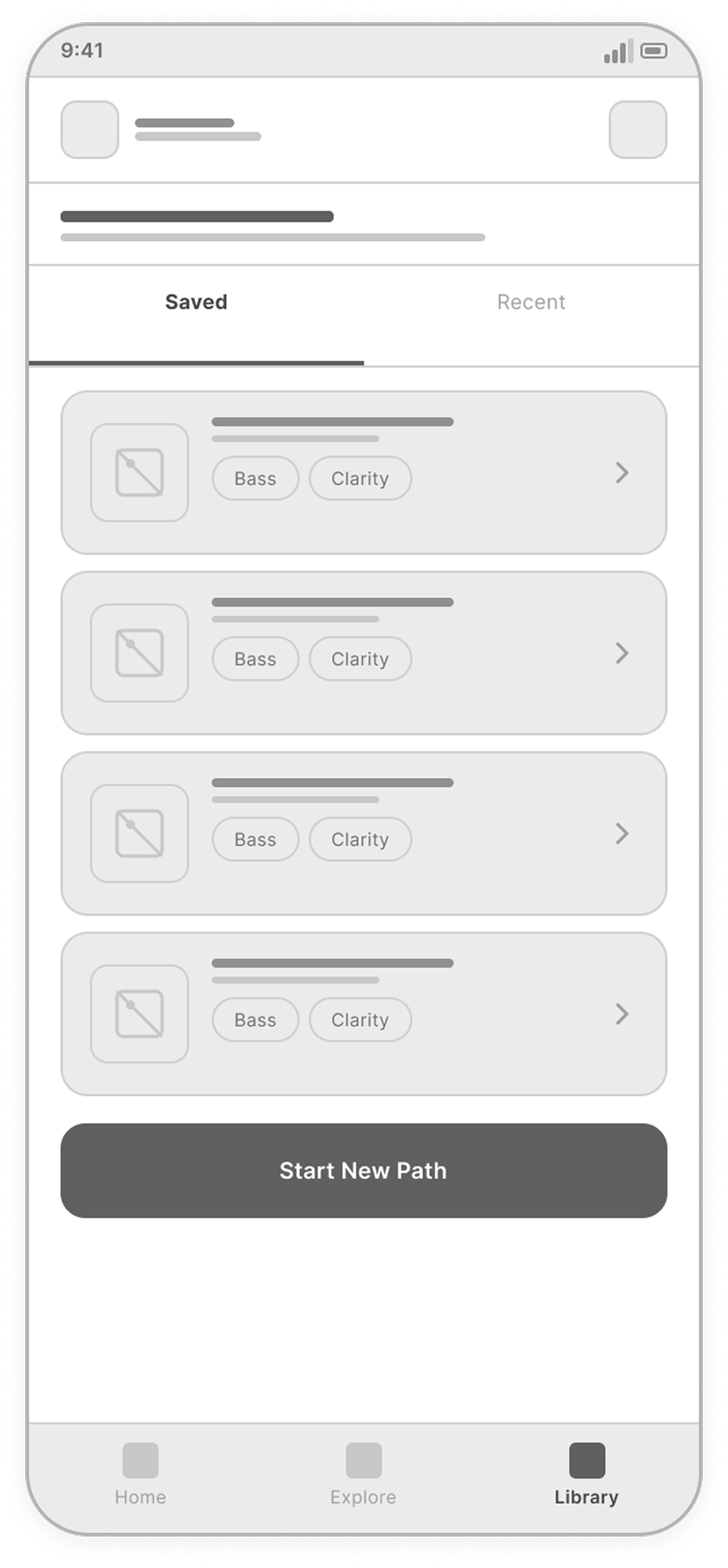
The library screen gives saved chains a clear place to live and stay organized. Tabs, compact chain cards, favorite states, and a strong search area help users return to existing setups or explore new paths quickly.

View full screen
Chain Library screen

Design System

The design system was built to support a focused, music-oriented mobile experience. Dark surfaces, clear hierarchy, reusable components, and simple iconography help users move through the recommendation flow with confidence.

Typography

Montserrat gives the interface a strong, modern voice, while Roboto keeps labels and supporting text clean and readable.

01
Display / Headings Montserrat Regular · SemiBold · Bold Headline
UI / Body Roboto Regular · SemiBold · Bold Body Text
Type Scale
Screen TitleMontserrat · 24px · SemiBold · 0.4px
Progress TitleMontserrat · 15px · SemiBold · 0.4px
Section TitleMontserrat · 15px · Regular · 0px
Card TitleRoboto · 13px · SemiBold · 0.2px
BodyRoboto · 12px · SemiBold · 0px
CaptionRoboto · 11px · SemiBold · 0.2px

Color System

Dark surfaces create focus, while blue accents guide actions, selected states, and navigation.

03
App Background
#020B21
Surface
#0F1D38
Surface Elevated
#082458
Border
#26354F
Border Elevated
#2D4670
Text Primary
#F8FAFC
Text Secondary
#94A3B8
Text Muted
#64748B
Accent Blue
#2678FF
Accent Violet
#8B5CF6
Success
#22C55E
Warning
#F59E0B

Icon Style

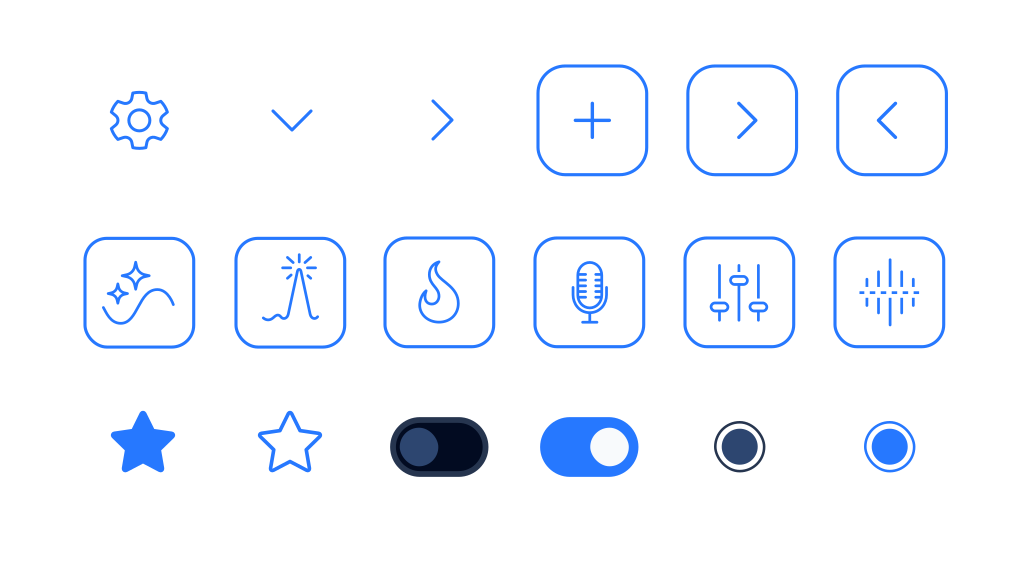
Simple monochrome icons support quick recognition across goals, sources, and actions.
04
SoundPath icon set

Core Components

Reusable cards, buttons, chips, and navigation patterns keep the flow clear and consistent.

02
Default goal card Selected goal card Recommendation step card Context chip states Plugin card Primary button

Built to Scale

Consistent tokens, components, and patterns ensure the experience remains cohesive as the product grows and evolves.

Consistent

Unified styles and reusable patterns.

Accessible

Clear contrast and readable hierarchy.

Scalable

Flexible system for future growth.

Key UX Decisions

Several UX decisions were made to reduce decision friction, keep the recommendation flow focused, and help users understand why each plugin chain fits their sound goal.

Decision 01

Guided Flow Over Open Search

Guided choices replace manual catalog search, helping users reach a relevant plugin recommendation faster.

Decision 02

Step-by-Step Recommendation Logic

Each step narrows the recommendation by adding goal, source, and mix context without making the flow feel heavy.

Decision 03

Chain First, Plugin Details Second

The chain is shown first as a workflow, then broken down into plugin-level details.

Decision 04

Saved Chains for Future Reuse

Saved chains help users return to useful recommendations and reuse them in future sessions.

Outcome

Waves SoundPath turns plugin discovery into a clearer, more guided mobile experience.

The final flow helps users move from a sound goal to a recommended plugin chain, understand the role of each tool, and save useful setups for future sessions.
MORE PROJECTS

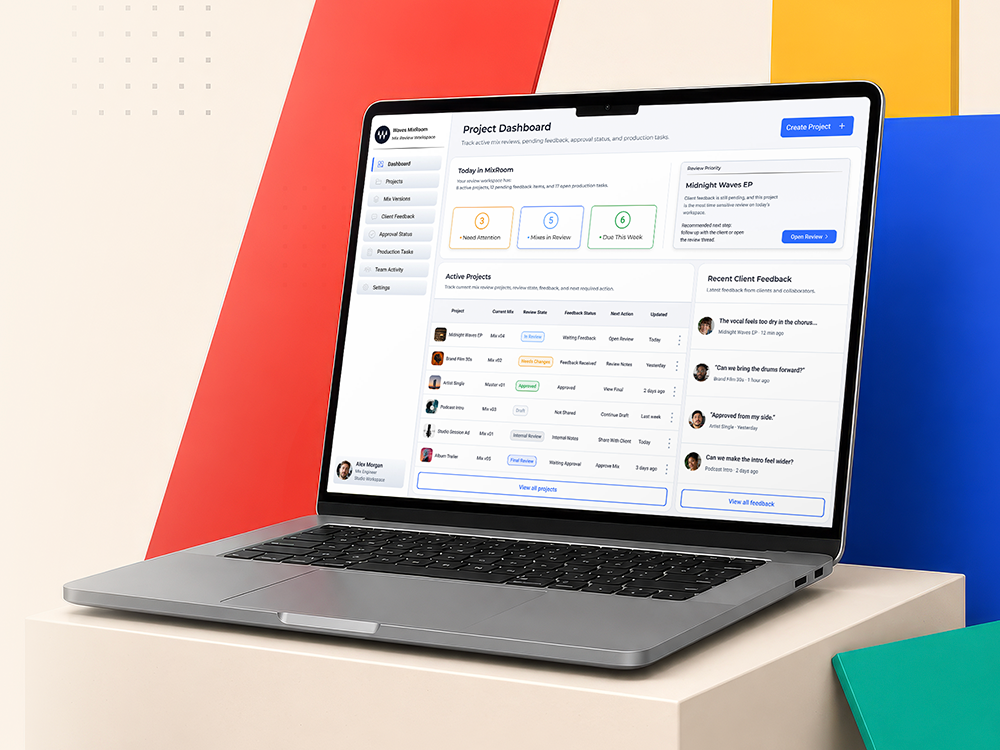
Waves MixRoom dashboard mockup
Waves MixRoom

Mix review workspace
Feedback approval flow

PRODUCT DASHBOARD
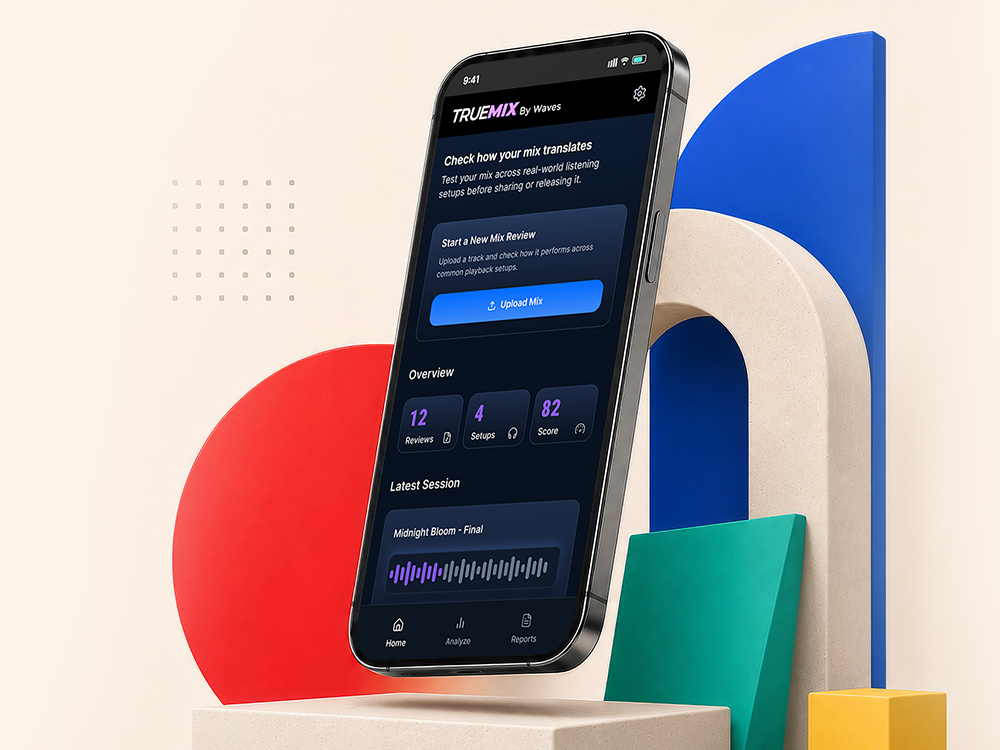
TrueMix app mockup
TrueMix

Mix translation tests
Across playback setups

MOBILE PRODUCT
Waves Control Center dashboard mockup
Waves Control Center

Plugin license control
For audio workflows

PRODUCT DASHBOARD